
Every tool you need to translate manga beautifully
Translate pages, manage terminology, preserve character personality, and return to previous projects—all from one focused workspace designed around visual storytelling.
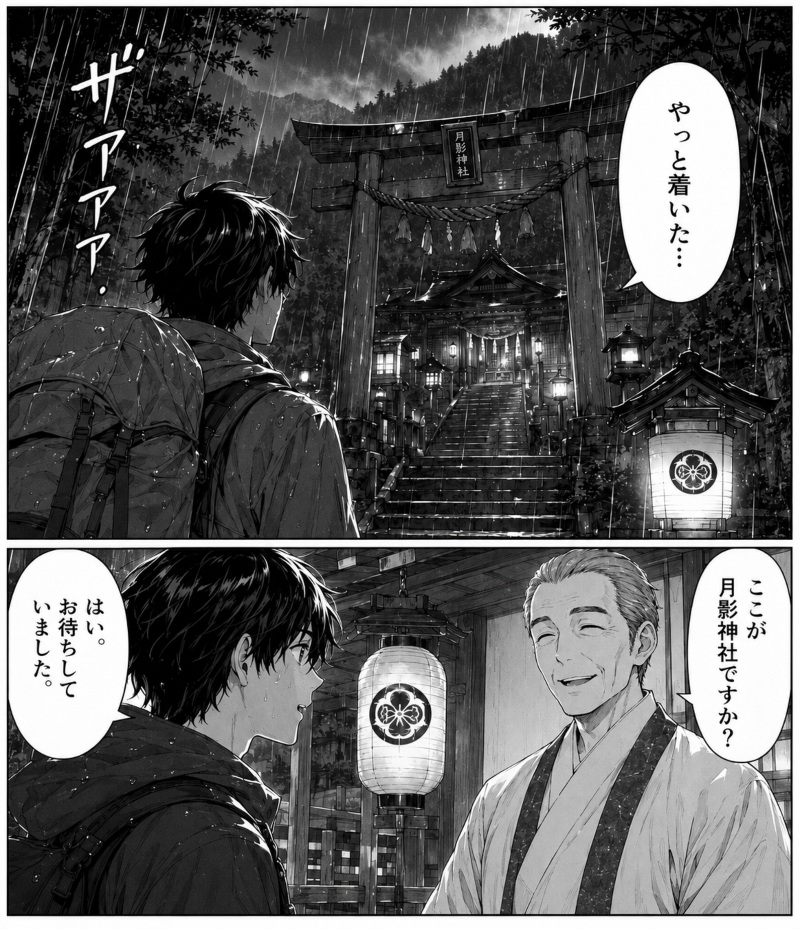
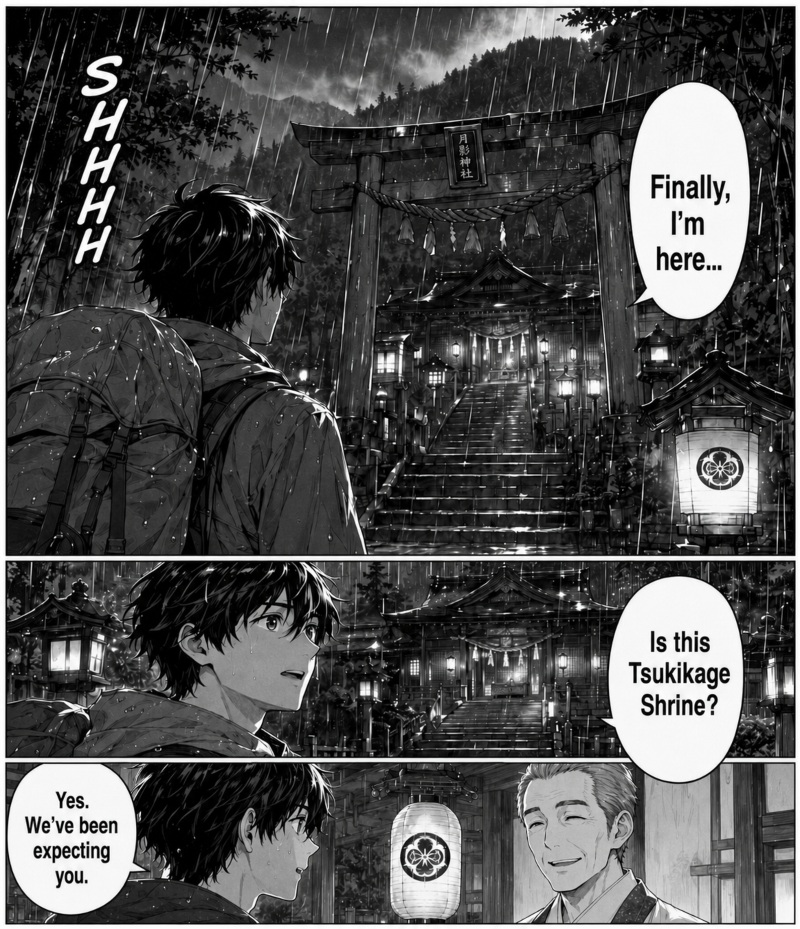 Before
After
Before
After
Drag the handle or click anywhere on the image
See the translation without losing the page. Move the comparison handle to inspect the original and translated artwork line by line.
Move from upload to finished translation without breaking your reading flow
Each feature solves a distinct part of manga translation, while shared projects, terminology, and character context keep your work connected from the first page to the final chapter.
Your translation work, clear at a glance
Open the dashboard and immediately understand what is active, what is complete, and where to continue. Overview brings your essential manga translation tools and recent activity into one calm, organized starting point.
- Review recent translations and project status without searching.
- Jump directly to the translator, glossary, voices, or history.
- See your workflow and language activity in one focused view.

Translate complete pages without losing their visual rhythm
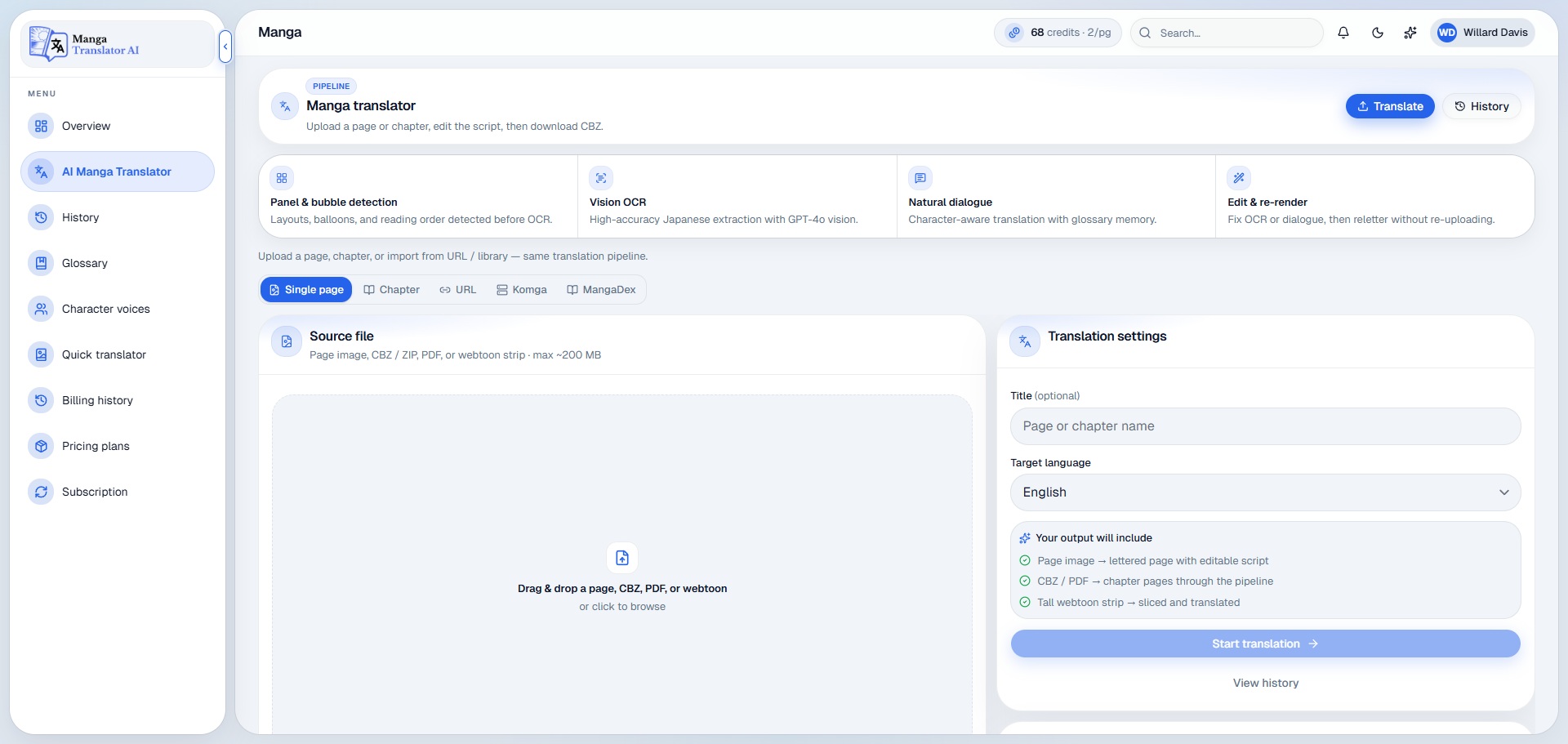
Upload a single page, a full chapter, or a long webtoon and let the workspace guide the process. Text is detected, translated, and prepared for review while the composition and reading experience remain central.
- Work with single pages, chapters, archives, PDFs, and webtoon strips.
- Review translated dialogue before completing the final page.
- Keep panels, artwork, and reading direction visually intact.
Every project stays easy to find and continue
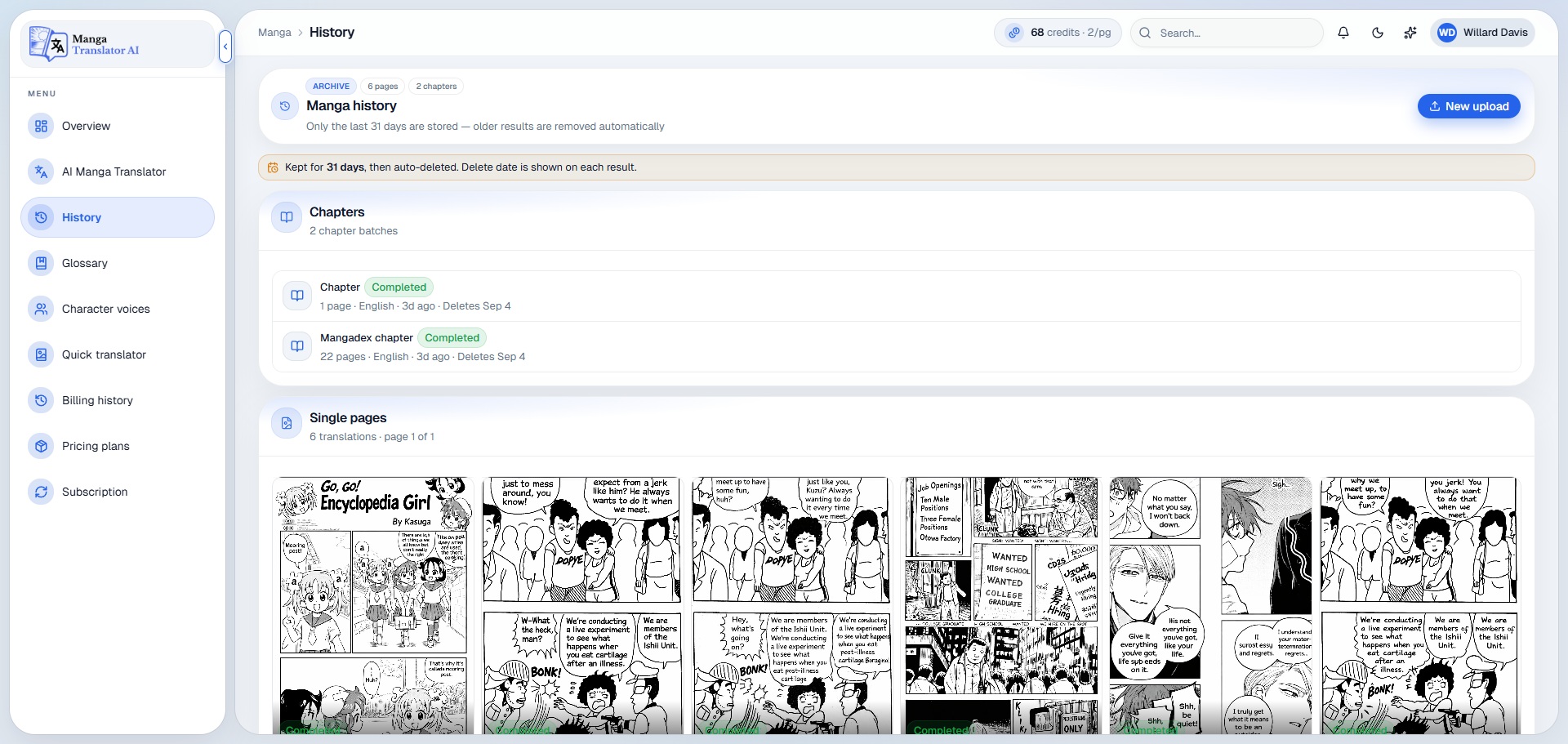
History keeps finished and in-progress translations together with their source language, target language, date, and status. Return to an earlier chapter without rebuilding your context or repeating work.
- Find previous translations by project, status, or date.
- Reopen results and continue incomplete chapter workflows.
- Keep a dependable record of ongoing localization work.
Keep every name, place, and special term consistent
Build a project glossary once and apply the same terminology across pages and chapters. Character names, techniques, locations, honorifics, and invented words stay stable even in a long-running series.
- Define preferred translations for recurring words and phrases.
- Prevent name variations from appearing between chapters.
- Create a reusable language reference for the entire project.

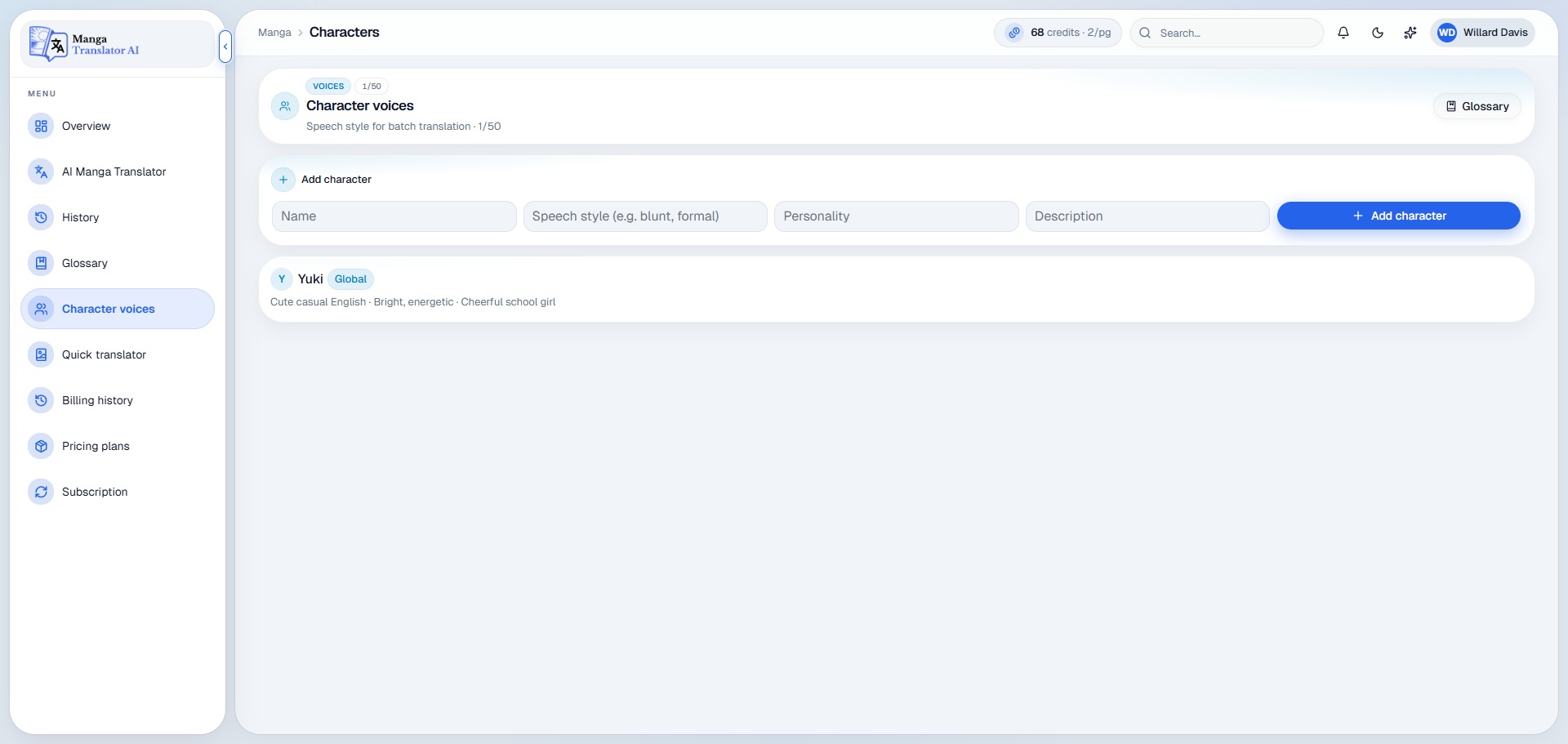
Make each character sound like themselves
Give major characters a clear speaking style, personality, age, tone, and relationship context. Dialogue becomes more natural because the translation follows who is speaking—not only the literal words in the bubble.
- Describe personality, tone, formality, and speech habits.
- Maintain distinct voices across long conversations and chapters.
- Preserve emotional intent, humor, and character relationships.
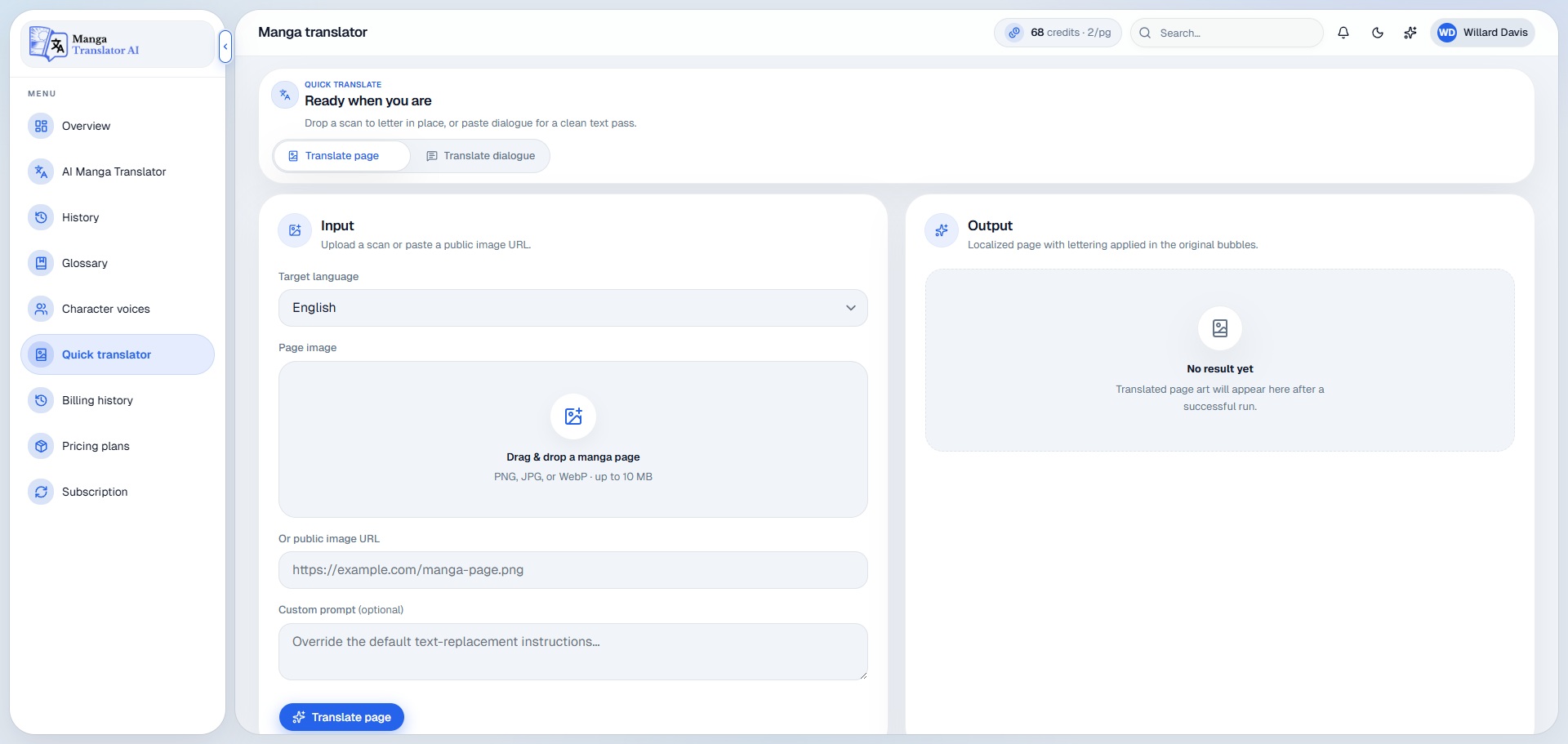
Translate a line instantly without starting a full project
Use Quick Translator for a speech bubble, caption, sound effect, note, or short passage that needs an immediate answer. It is the fastest way to check meaning, tone, or an alternative phrasing.
- Translate short text between languages in seconds.
- Compare phrasing before placing dialogue into a page.
- Handle small translation tasks without creating a chapter.
Read in your language while the page still feels original
Add your real source and translated screenshots below to show how the dialogue changes while panels, illustration, atmosphere, and reading flow remain familiar.
Before
After
Drag to compare the complete page

 Before
After
Before
After
Drag to compare the complete page
From original page to readable result
A clear process keeps the translation moving while giving you control over terminology, voice, and the finished text.
Bring your page
Upload a page or chapter, or import content from a supported source.
Set the context
Choose languages and apply the right glossary and character voices.
Translate and review
Process the artwork, then review the translated dialogue and wording.
Read and continue
Use the finished result and return through History whenever needed.
Questions before your first translation?
Learn how the workspace handles files, languages, terminology, editing, and the visual structure of your pages.
Ask another questionWhat can I translate with AI Manga Translator?
You can work with manga, manhwa, manhua, webtoons, doujinshi, comics, and other image-based stories. The translator supports single pages as well as longer chapter workflows.
Will the translated result keep the original artwork?
The workflow is designed to make dialogue readable in your chosen language while keeping panels, illustrations, composition, and the overall reading experience at the center of the result.
Can I translate a complete chapter at once?
Yes. You can use the chapter workflow for multi-page files and supported archives, PDFs, or webtoon strips. You can also translate a single page when you only need one image.
How does the Glossary improve consistency?
The Glossary stores your preferred versions of names, places, techniques, honorifics, and recurring terms. That shared reference helps keep wording consistent across pages and chapters.
What are Character Voices used for?
Character Voices give the translator useful context about personality, tone, age, formality, and speech habits. This helps dialogue feel appropriate for the speaker instead of reading like isolated literal text.
Can I review or change the translated text?
Yes. The translation workflow gives you room to review wording and refine dialogue, while Quick Translator is useful for checking short lines or comparing alternative phrasing.
Can I return to an earlier translation?
Yes. History keeps previous and in-progress work organized so you can reopen a project, review its result, or continue a chapter without starting again.
Where can I get help with a project or account?
Use the contact page to reach the team with product, account, or workflow questions. Include the relevant project details so the team can understand what you need.
Translate the story—not the soul out of the page
Bring manga, manhwa, or webtoons into the language you read best while keeping the visual experience at the center.